



Here's a 3-step guide on how to deal with it:

Click the “Create a new document” button. Go to eds.vid.gov and log in to your account.
Use one of the secure access methods - e-signature, bank authentication or Smart-ID. Without this step, you will not be able to register yourself as a Self-employed person.
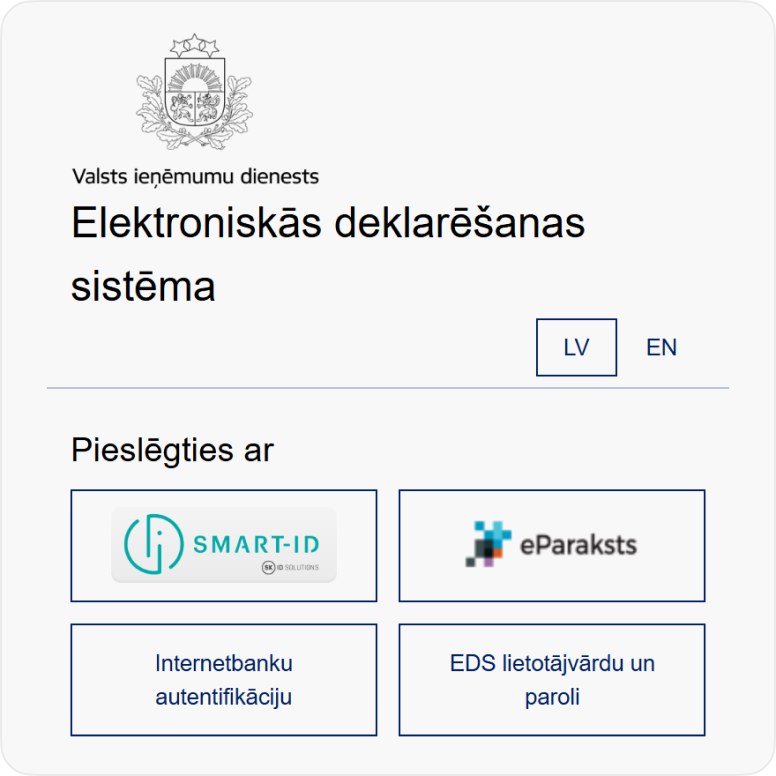
Choose an authorization method
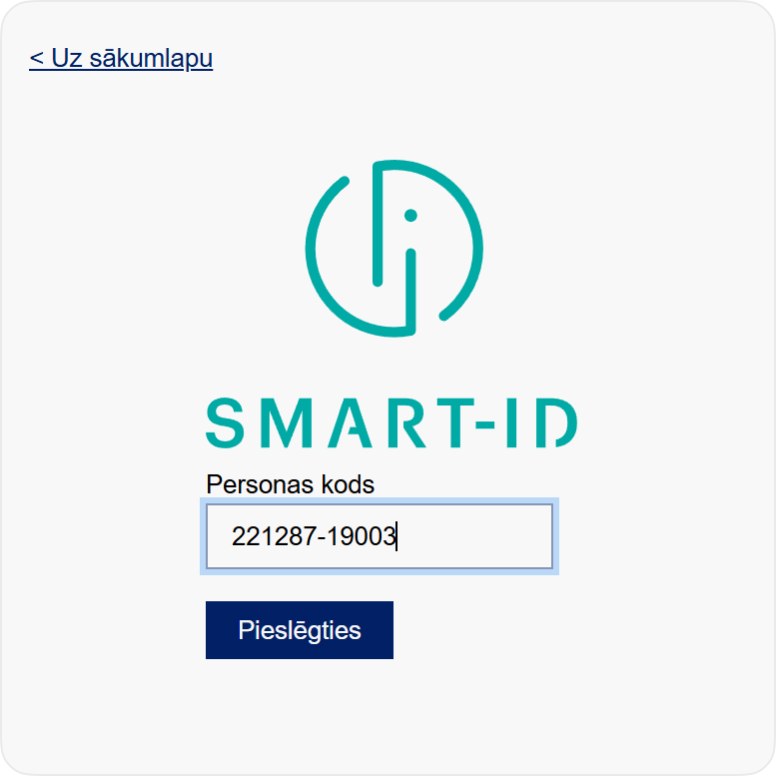
Authorize with the selected method
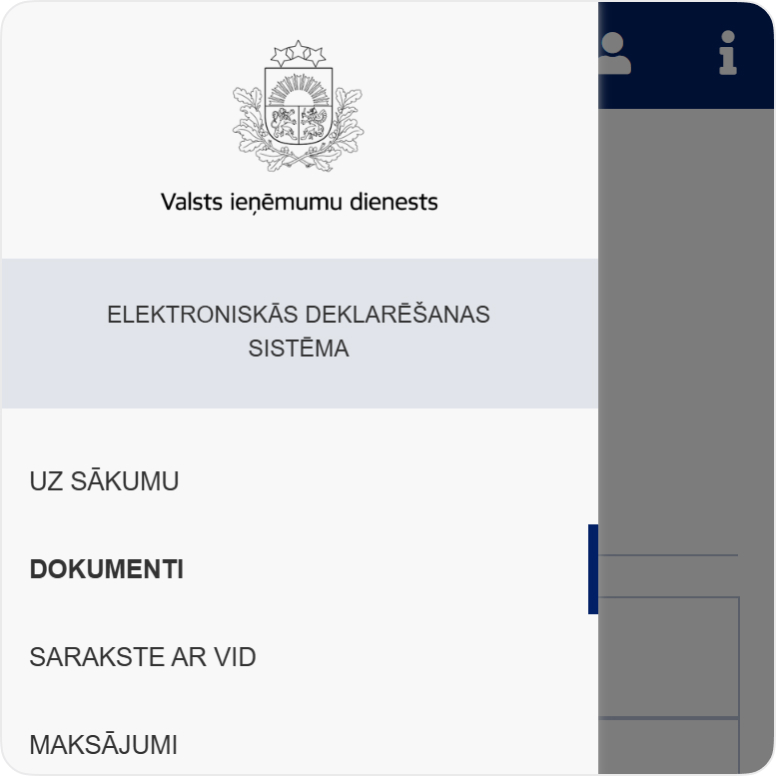
Opens the “Documents” section in the menu

Select the “Documents” section and open the registration form
Click “From form” in the left menu, type “Taxpayer (individual) registration” in the search box, and open the appropriate form. This is the first step to becoming an officially registered Self-employed person.
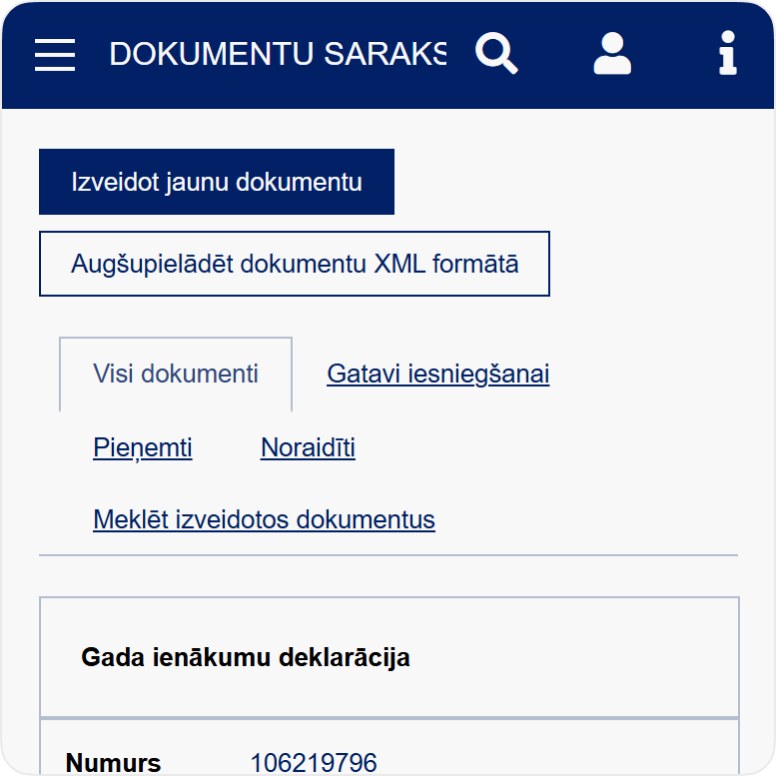
Click the "Create new document" button
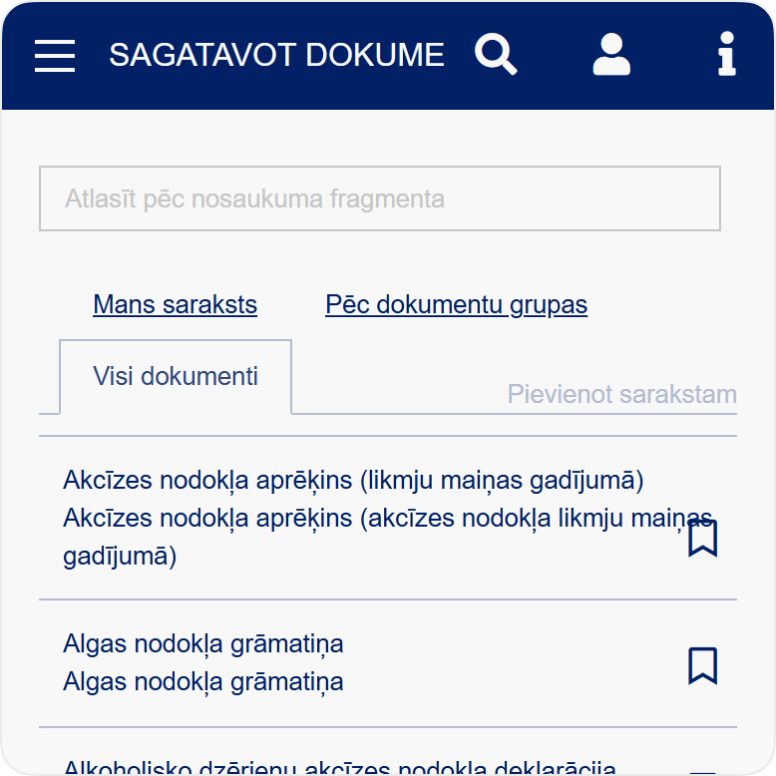
Select the "All Documents" tab
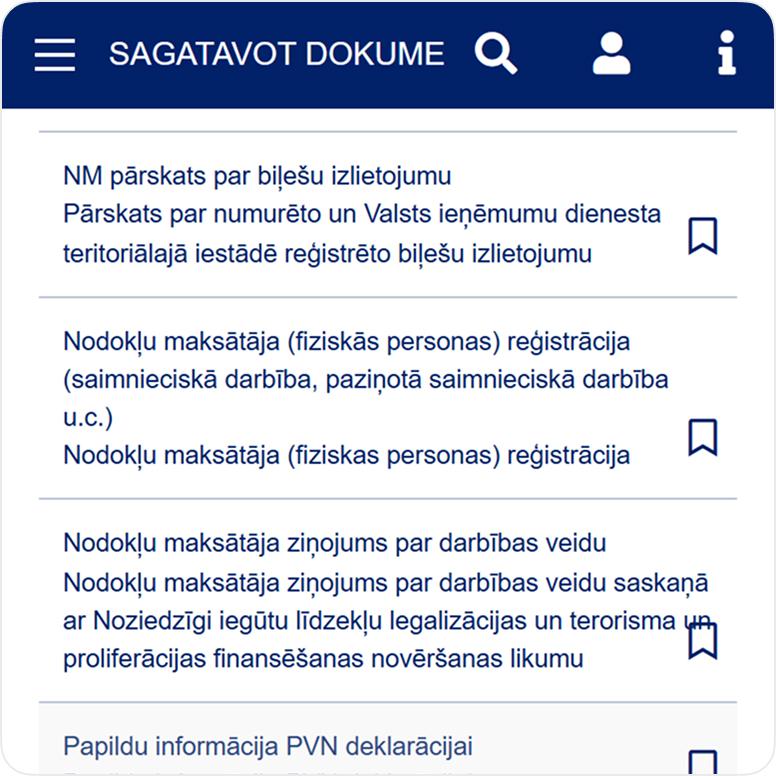
Find the line “Taxpayer (individual) registration”

Fill out the form with your details
Indicate the desired type of activity, start date, and contact information. When everything is filled in, click "Submit". The SRS will process the application within a few days
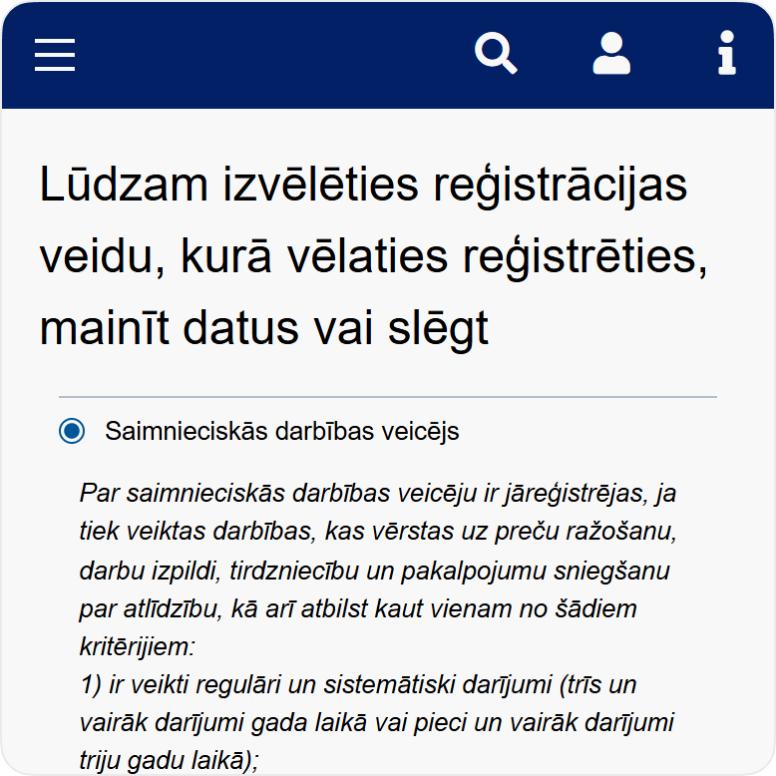
Select “Self-employed person” and click “Register”
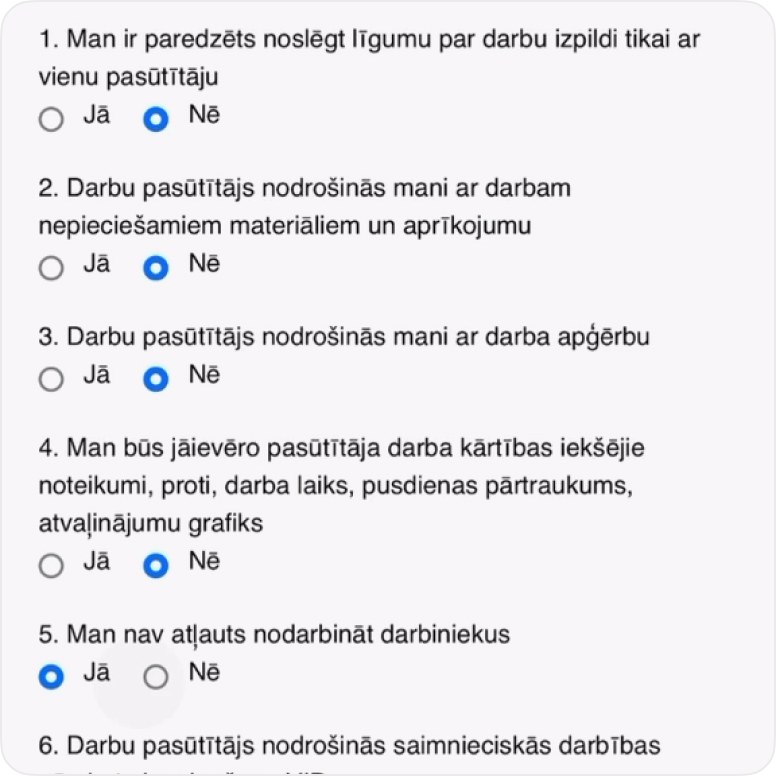
Fill out the questionnaire
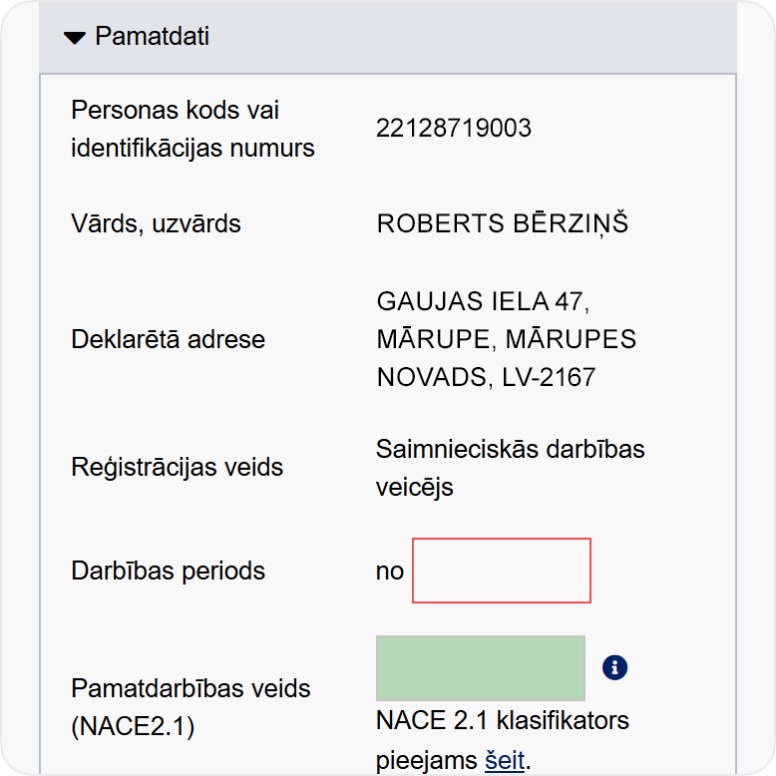
Next, fill in information about yourself and your business activity.

Don't know what to choose?
How to register self-employed status and automate accounting
Free webinar designed for everyone in Latvia who is planning or has just started a business activity.


We told you how to register with the SRS, now it's time to start using the opportunities!

It all starts with a trial.
Start with a free trial period and see for yourself - don't take our word for it, everything works from day one.

Discover all the features
All reports, invoices, expense tracking, bank connection, payroll module, fixed assets, analysis and tips for expense tracking - everything is already included.

When ready - choose your tariff
- Basic - Automatic reports
- Pro - Save more
- Premium - Earn more

Fewer clicks - more clarity
The system calculates, warns, and recommends itself. All you have to do is enter your income and expenses - do your job, not the accounting.
How much does it cost
Functions
- 10 document scans
- Invite accountant
- Catalog of services and products
- Access to documents - 90 days
Invoices
- 10 invoices per month
- Language selection
- Invoice design selection
- Adding your own logo
- Electronic invoice
- Payment button directly in the invoice


- Depreciation and value write-off calculation for fixed assets and intangible investments
- Operations journal
- General ledger
- Corporate income tax declaration
- Annual report
- Balance sheet
- Profit and loss statement
- Income and expense ledger
- Self-employed person's social security contributions report
- Social contributions report for MUN taxpayers
- Depreciation and value write-off calculation for fixed assets and intangible investments
- Value Added Tax (VAT) declaration for the taxation period
- Employer’s report
- Information about employees
- Statement on amounts paid to a natural person
- Register of transactions starting from current month
- Adding transaction history starting from 2019
- Analytical recommendations for expense deduction
- Scanning of receipts and invoices 10 per month
- Depreciation of fixed assets
- Linked bank account for automated upload of bank statements
- Choose an invoice design and add your logo
- Invoicing 10 per month
- Remote payment acceptance by card or bank transfer
- Payroll accounting
- Quick questions to an accounting and tax expert

- Depreciation and value write-off calculation for fixed assets and intangible investments
- Operations journal
- General ledger
- Corporate income tax declaration
- Annual report
- Balance sheet
- Profit and loss statement
- Income and expense ledger
- Self-employed person's social security contributions report
- Social contributions report for MUN taxpayers
- Depreciation and value write-off calculation for fixed assets and intangible investments
- Value Added Tax (VAT) declaration for the taxation period
- Employer’s report
- Information about employees
- Statement on amounts paid to a natural person
- Register of transactions starting from current month
- Adding transaction history starting from 2019
- Analytical recommendations for expense deduction
- Scanning of receipts and invoices Unlimited
- Depreciation of fixed assets
- Linked bank account for automated upload of bank statements
- Choose an invoice design and add your logo
- Invoicing Unlimited
- Remote payment acceptance by card or bank transfer
- Payroll accounting
- Quick questions to an accounting and tax expert

- Depreciation and value write-off calculation for fixed assets and intangible investments
- Operations journal
- General ledger
- Corporate income tax declaration
- Annual report
- Balance sheet
- Profit and loss statement
- Income and expense ledger
- Self-employed person's social security contributions report
- Social contributions report for MUN taxpayers
- Depreciation and value write-off calculation for fixed assets and intangible investments
- Value Added Tax (VAT) declaration for the taxation period
- Employer’s report
- Information about employees
- Statement on amounts paid to a natural person
- Register of transactions starting from current month
- Adding transaction history starting from 2019
- Analytical recommendations for expense deduction
- Scanning of receipts and invoices Unlimited
- Depreciation of fixed assets
- Linked bank account for automated upload of bank statements
- Choose an invoice design and add your logo
- Invoicing Unlimited
- Remote payment acceptance by card or bank transfer
- Payroll accounting
- Quick questions to an accounting and tax expert
- Depreciation and value write-off calculation for fixed assets and intangible investments
- Operations journal
- General ledger
- Corporate income tax declaration
- Annual report
- Balance sheet
- Profit and loss statement
- Income and expense ledger
- Self-employed person's social security contributions report
- Social contributions report for MUN taxpayers
- Depreciation and value write-off calculation for fixed assets and intangible investments
- Value Added Tax (VAT) declaration for the taxation period
- Employer’s report
- Information about employees
- Statement on amounts paid to a natural person
- Register of transactions starting from current month
- Adding transaction history starting from 2019
- Analytical recommendations for expense deduction
- Scanning of receipts and invoices 10 per month
- Depreciation of fixed assets
- Linked bank account for automated upload of bank statements
- Choose an invoice design and add your logo
- Invoicing 10 per month
- Remote payment acceptance by card or bank transfer
- Payroll accounting
- Quick questions to an accounting and tax expert
- Depreciation and value write-off calculation for fixed assets and intangible investments
- Operations journal
- General ledger
- Corporate income tax declaration
- Annual report
- Balance sheet
- Profit and loss statement
- Income and expense ledger
- Self-employed person's social security contributions report
- Social contributions report for MUN taxpayers
- Depreciation and value write-off calculation for fixed assets and intangible investments
- Value Added Tax (VAT) declaration for the taxation period
- Employer’s report
- Information about employees
- Statement on amounts paid to a natural person
- Register of transactions starting from current month
- Adding transaction history starting from 2019
- Analytical recommendations for expense deduction
- Scanning of receipts and invoices Unlimited
- Depreciation of fixed assets
- Linked bank account for automated upload of bank statements
- Choose an invoice design and add your logo
- Invoicing Unlimited
- Remote payment acceptance by card or bank transfer
- Payroll accounting
- Quick questions to an accounting and tax expert
- Depreciation and value write-off calculation for fixed assets and intangible investments
- Operations journal
- General ledger
- Corporate income tax declaration
- Annual report
- Balance sheet
- Profit and loss statement
- Income and expense ledger
- Self-employed person's social security contributions report
- Social contributions report for MUN taxpayers
- Depreciation and value write-off calculation for fixed assets and intangible investments
- Value Added Tax (VAT) declaration for the taxation period
- Employer’s report
- Information about employees
- Statement on amounts paid to a natural person
- Register of transactions starting from current month
- Adding transaction history starting from 2019
- Analytical recommendations for expense deduction
- Scanning of receipts and invoices Unlimited
- Depreciation of fixed assets
- Linked bank account for automated upload of bank statements
- Choose an invoice design and add your logo
- Invoicing Unlimited
- Remote payment acceptance by card or bank transfer
- Payroll accounting
- Quick questions to an accounting and tax expert
Main system features

Transaction checks
Lūrija compares transaction data with the receipt or invoice and highlights errors and inconsistencies that need attention.

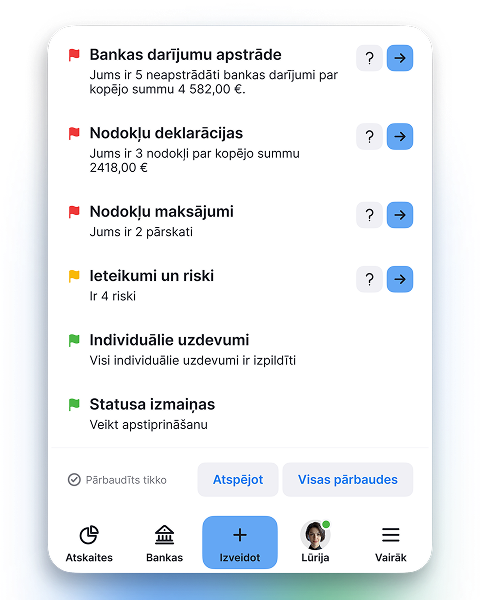
Free tax assistant
Lurija helps find answers to questions about Latvian taxes, accounting and business activity.


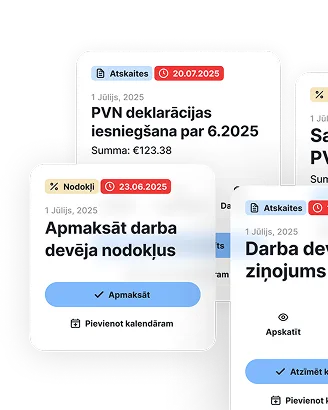
Tax deadline calendar
All VID filing and payment dates in one place, matched to your business type

Business Account
For self-employed professionals and SIA companies - automatically sync transactions with pats.lv accounting


Issue invoices and get paid faster
Automate the invoicing process, get paid faster, and focus on what truly drives your business forward
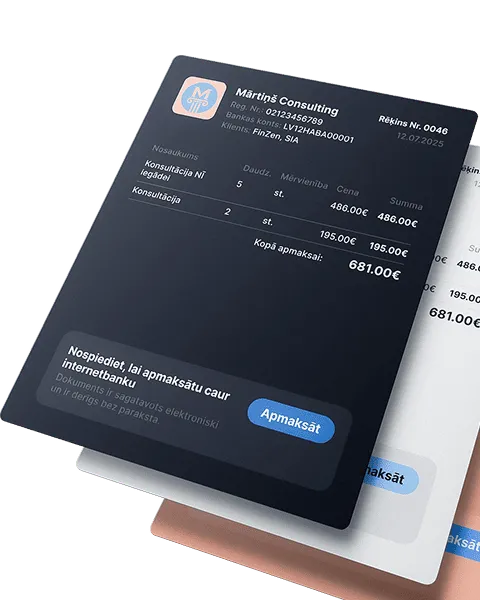
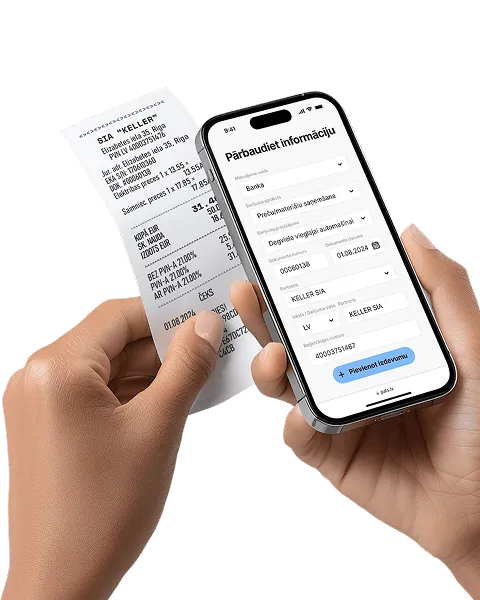
Receipt and invoice scanning
Automation that pays off! Save up to 80% of the time compared to manual data entry
Reporting and tax calendar
All reports and tax declarations are generated automatically - from quarterly to annual. Enter your income and expenses, the system will calculate the taxes - just download and submit

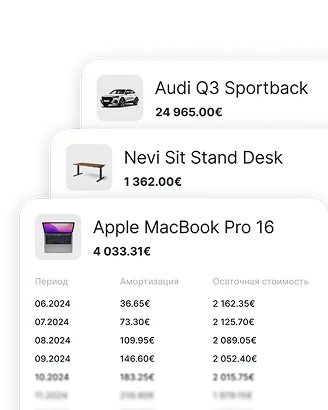
Fixed asset accounting
Enter an asset once - depreciation is calculated automatically, and the data goes straight into the reports
Accept payments without a terminal
Instantly with a QR code or link - perfect for service providers without a cash register. Create an offer, the client scans and pays

Accurate salary calculation every month
Automatically calculates salaries, taxes, and vacation pay, while also preparing all mandatory documents


Bank integration and payment management
The fastest way to manage business transactions - accurately and clearly


Expense analytics and tips
Analyze your expenses and get smart tips on what can be deducted. Compare with others in your field and avoid missing out

Frequently asked questions
