

Payroll calculation in Latvia






 24. July, 2026
Payroll calculation is one of those parts of accounting where no one wants to make mistakes. The employment contract, workload, hours worked, vacations, sick leaves, bonuses, overtime, IIN, VSAOI and also the documents that must be submitted to VID all have to be taken into account.
If you try to do all of this manually, questions quickly arise: is the calculation correct, have the taxes been applied correctly, has any document been forgotten and does the amount paid to the employee match the accounting records?
That is exactly why the pats.lv payroll module is not just a salary calculator. It is part of an accounting system where payroll calculation, tax calculation, employee data, working time records, payments and reports are connected in one process.
You enter the basic information about the employee and working time, and the system calculates the rest.
Why does payroll calculation often seem complicated?
Payroll calculation is not just a question of “how much should be transferred to the employee’s account?”.
The employer needs to know:
-
how to calculate gross and net salary;
-
what to do with the tax book;
-
how to calculate IIN and VSAOI;
-
how to act if the employee is on vacation;
-
how to calculate sick leave;
-
how to record overtime;
-
how to add bonuses, premiums or night work;
-
how to prepare the employer’s report;
-
how to correctly record salary payments and taxes in accounting.
For a small company or a self-employed employer, this can be a disproportionately large administrative burden. Especially when there are not many employees, but every calculation still has to be done, and it has to be done correctly.
The Pats.lv payroll module was created with one idea: an entrepreneur should not have to search for formulas, tables and external calculators. The system should help make the calculation step by step, clearly and correctly.
How does the pats.lv payroll module work?
The payroll module is based on a simple principle: you enter the most important data once, and the system automatically uses it in further calculations.
This means that every month you do not have to search for the employee’s data again, create calculations in separate tables or recalculate taxes with an external calculator. All information is stored in one system.
1. Adding an employee
First, the employer adds the employee to the system.
The necessary information is entered in the employee profile:
-
personal data;
-
position information;
-
employment contract terms;
-
salary type - monthly salary or hourly rate;
-
workload;
-
tax book information;
-
tax application data, based on which the system applies the relevant calculation conditions;
-
other information needed for a correct calculation.
This is the basis on which the system creates further payroll calculations, also taking into account data that is important in child care or sickness situations, if they affect the calculation.
2. Filling in the work calendar
Within the payroll calculation, it is possible to enter:
-
additional vacation days;
-
periods of incapacity for work (sick leaves);
-
overtime;
-
other absences.
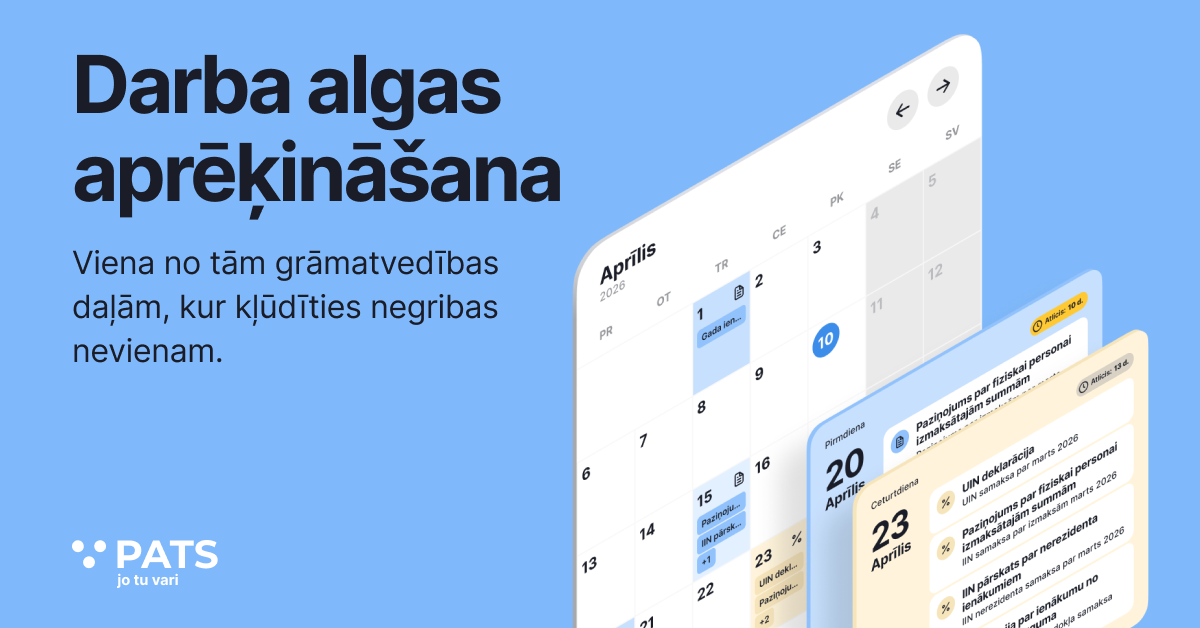
After this data is entered, the information is automatically displayed in the work calendar, ensuring clear accounting of working time and absences.
If the employee has an hourly working time schedule, the hours worked can be entered manually in the work calendar.
This is especially important for companies where employees do not work only a classic full-time schedule. For example, if there is part-time work, an hourly rate, shift work, seasonal work or irregular working hours, because then accurate monthly working time records are especially important.
3. Automatic salary and tax calculation
When the data has been entered, the system calculates the salary automatically, and if the specific type of calculation requires it, average earnings are also taken into account.
The calculation takes into account: gross / net salary; IIN; VSAOI; time worked; vacation pay; sick leaves; situations of sick pay calculation; bonuses / premiums; overtime; employer costs.
The user does not have to think about how tax rates are divided or how the calculation should be created in each situation. The system uses the current conditions, applies tax rates and shows the result in an understandable way.
It is also important that the calculation is not only the final “take-home” amount. The system helps to understand what this amount consists of - how much is gross, how much is taxes, how much the total employer costs are and how much must be paid to the employee, while in certain cases the average income indicator is also used as the basis of the calculation.
4. Checking and salary payment
When the calculation is ready, the employer or accountant checks it.
After approval, salary payment data and the necessary documents are available, and the system shows when the salary is paid. It also helps to correctly determine the payment period to which the calculation applies and reflect this action in the accounting records.
This means that salary is not separated from the rest of the company’s accounting. It becomes part of the overall financial records - together with income, expenses, bank transactions, taxes and reports.
Main features of the payroll module
Flexible work schedules and salary types
The Pats.lv payroll module is suitable for different employment relationship models.
It can be used if the employee works:
-
full-time;
-
part-time;
-
at an hourly rate;
-
with overtime;
-
with additional bonuses or premiums.
This is useful both for an SIA with one or a few employees and for companies with non-standard schedules. For example, for event organizers, service providers, transport companies, beauty industry companies, seasonal work or small companies with flexible work organization.
Bonuses, premiums and overtime
Salary does not always consist only of the base salary.
Sometimes an employee needs to be paid a premium. Other times, an additional payment for extra work, night work or overtime needs to be calculated. Manually, such situations can cause mistakes, because every additional payment also affects the tax calculation.
In the payroll module, additional pay can be added to the calculation, and the system includes it in the overall salary and tax calculation.

Vacations, sick leaves and sick pay calculation
Vacation pay and sick leave calculation is often one of the most complicated stages of payroll accounting, especially if the nuances of benefit calculation also have to be taken into account.
In the pats.lv payroll module, this data is entered in the calendar so that the system correctly records the number of working days in sickness and vacation situations and takes them into account in the calculation.
In certain cases, the system also helps to understand which sick days are paid by the employer and how this affects the calculation.
This helps avoid situations where an entrepreneur has to search for formulas, read explanations of the law or call an accountant every time an employee goes on vacation or submits a sick leave certificate, because the sickness period over time and its impact on costs are also important in the calculation.
Tax calculation according to legal requirements
The most important thing in payroll calculation is accuracy. The employer must calculate not only the amount payable to the employee, but also taxes and employer obligations.
The Pats.lv payroll module calculates IIN, VSAOI and other salary-related amounts, taking into account the employee data entered or updated before the calculation and the current tax conditions set by the state.
This reduces the risk of mistakes in calculations and helps the entrepreneur gain confidence that the salary is calculated correctly.
Documents and reports
Payroll calculation itself is not the end of the process. The employer also needs documents and reports.
In the pats.lv system, salary-related documents and reports are automatically prepared, including the employer’s report and other necessary notifications.
The prepared data can be used for accounting, archiving and submission to VID EDS.
This is important because the entrepreneur does not have to create documents separately or search for the correct forms. Everything is prepared in one system.
Who is the payroll module suitable for?
SIA with employees
If the company has at least one employee, payroll calculation becomes a regular obligation.
The payroll module helps SIA calculate salaries, prepare the necessary documents and maintain clear records without unnecessary manual workload.
This is especially useful for small companies where the manager wants to control the accounting process themselves and understand what is happening with the company’s costs.
Self-employed employers
A self-employed person can also become an employer.
If a self-employed person hires employees, payroll calculations and employer obligations become just as important as they are for a company. The payroll module helps organize this process without the need to create complicated Excel tables or rely on external calculators every month.
Accountants
The payroll module is also useful for professional accountants.
If an accountant serves several small companies or self-employed employers, automated payroll calculation helps reduce routine work and prepare the necessary data faster.
This allows more time to be spent on checking, consultations and high-quality client service, rather than manual recalculations.
Managers who want control
Not all company managers want to become accountants themselves. But many want to understand what is happening with the company’s finances.
The payroll module helps to see:
-
how much an employee costs the company;
-
how net salary is formed;
-
how much must be paid in taxes;
-
how absences affect salary;
-
what amounts must be paid and recorded.
This gives more control and less uncertainty.
Salaries without unnecessary routine and with additional support
The payroll module is available to users who use the Premium plan, with no limit on the number of employees.
New users have access to a trial period, as well as 30 days of free accountant and tax expert support to help them start working more safely and understand calculations where the interpretation of months or another period is important, as well as correctly enter health and incapacity data if it affects the payroll calculation.
Salaries are too important a part of accounting to calculate them “by feeling” or to rewrite data in several tables every month.
The payroll module helps organize the payroll process from adding an employee to calculation, documents, reports and payment.
You enter the necessary data, check the result and make a decision. The system calculates gross and net salary, taxes, vacations, sick leaves, bonuses and prepares the necessary documents, if needed also taking into account regulation that affects the amount of payment.
This is a solution for entrepreneurs who want to pay salaries correctly, understand their costs and not waste time on routine. The system also helps review calculations over the year, if this is necessary for company control.
Try pats.lv and see how simple payroll calculation can be in one system.